Posts

Chat on WhatsApp without saving contact number:
Image
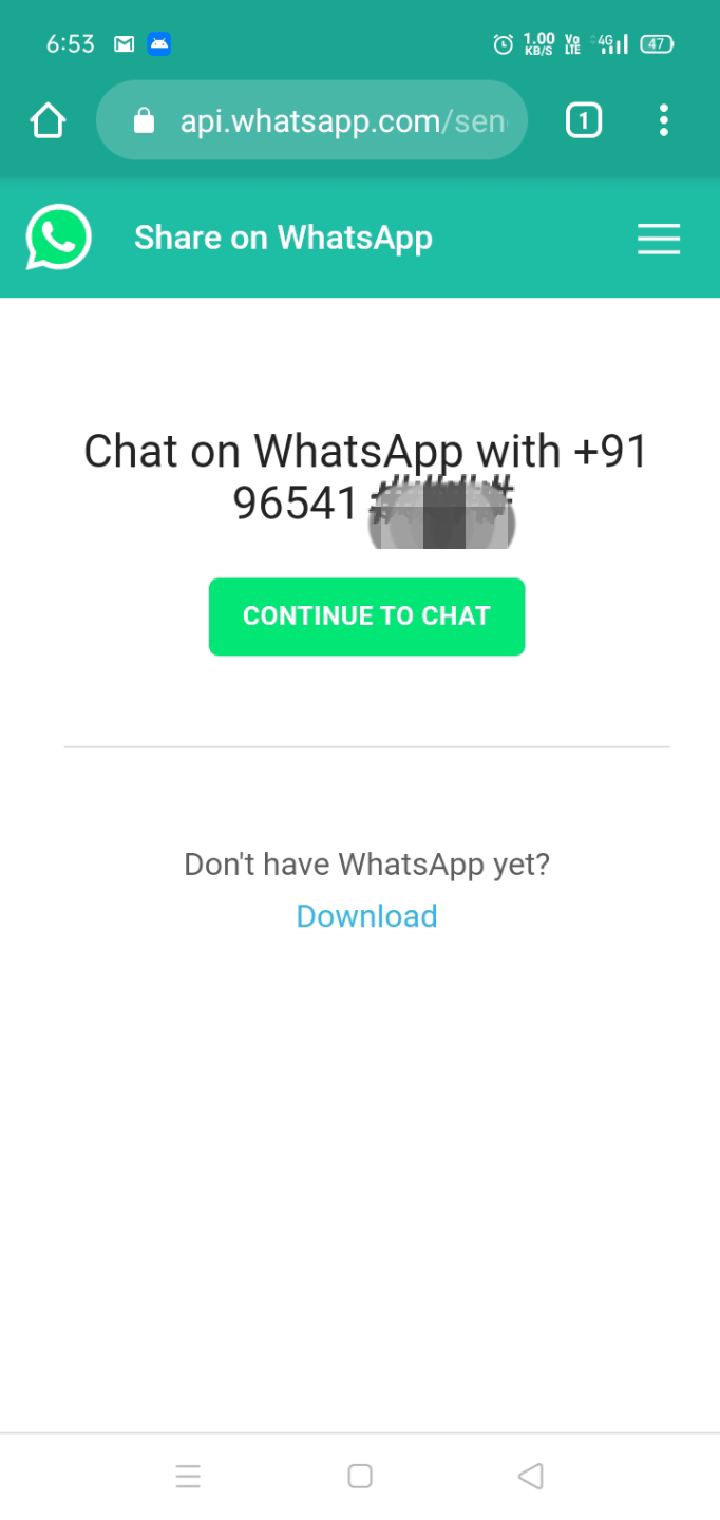
Open any browser.(e.g. Chrome or any) Type wa.me/91(phone number) and click enter. Here 91 is the country code of India if the person is from any other country then put their country code like if the other person is from USA/UK you have to change its country code. Example:  wa.me/91965416#### Now you will see a page something like this. 5. Then click on continue to chat. And it will be open in your WhatsApp. 6.This was the way to chat with the person without saving number. It will save your time and if you feel like the person is important then simply you can add the person to your contact.

Swami Vivekanand Inspiring Thoughts :

Image
Name: Swami Vivekanand Born on : January 12, 1863 Calcutta West Bengal India Died on: July 4, 1902 *********************** * उठो, जागो और तब तक नहीं रुको जब तक लक्ष्य ना प्राप्त हो जाये !       ************************         * विश्व एक व्यायामशाला है जहाँ हम खुद को मजबूत बनाने के लिए आते हैं ! *********************** * दिल और दिमाग के टकराव में दिल की सुनो ! *********************** * सबसे बड़ा धर्म है अपने स्वभाव के प्रति सच्चे होना, स्वयं पर विश्वास करो ! ************************* * जो अग्नि हमें गर्मी देती है, हमें नष्ट भी कर सकती है, यह अग्नि का दोष नहीं है ! ************************* * शारीरिक, बौद्धिक और आध्यात्मिक रूप से जो कुछ भी कमजोर बनता है -, उसे ज़हर की तरह त्याग दो ! ************************* * एक समय में एक काम करो, और ऐसा करते समय अपनी पूरी आत्मा उसमे डाल दो और बाकी सब कुछ भूल जाओ !   ************************* * मस्...

Inspirational and Motivational thoughts

*********************** *जीवन को इतना शानदार बनाओ, कि आपको याद करके किसी निराश व्यक्ति की आखों में भी चमक आ जाए...  *********************** *भरोसा "खुदा" पर है, तो जो लिखा है, तकदीर में, वो ही पाओगे.. मगर भरोसा अगर "खुद" पर है, तो खुदा वही लिखेगा, जो आप चाहोगे...  ************************         *जब आप किसीको भुलाना चाहते हो, तो दुनिया की हर चीज उसकी याद दिलाती है...  *********************** *किस्मत आप के हाथ में नहीं होती है, पर निर्णय आपके हाथ में होता है.. किस्मत आपका निर्णय नहीं बदल सकती, पर आपका निर्णय आपकी किस्मत बदल सकता है..

Video Calling feature in Whatsapp !

Image
Absolutely yes ! Video calling in whatsapp was the most awaited feature. Now whatsapp has intoduced video calling facility. To use this feature you all can update your whatsapp from google playstore and enjoy video calling.

How to create bootable pendrive for installing operating system:

Image
Here are some easy steps for creating bootable  pendrive. 1- Firstly you should have operating system installation file in .iso extention. If you don't have then you can download from Microsoft website. 2- Now you need a tool which will help to create it like "universal usb installer".  You can download this tool from internet and install it. 3-Open this application. It will show you to follow some steps. 4- You have to select operating system which you want to create. 5- Now browse .iso file which you have already downloaded in you PC. 6- Then select pendrive storage in which it has to be created. Then click on create. It will show some processing around few minutes and show you finish. Now you pendrive is ready for installing operating system in any PC. 

How to have an attractive personality ????

  You do not have mean the hottest style of cloths to be attractive. You do not need to be on the latest diet to become irritable with the right mind set you can unleash your natural beauty within you. You just need to be accepting the things, that  who you are and loving yourself, As a result when you love your self can you genuinely being to love others. Do something different if you are feeling shy in group situation. Then do something out of ordinary. Find something you are passionate about and do it. People who love to laugh and don’t take life to seriously will attract others Life is too short to care about what people think’. Just be yourself and express it in your way. Laugh at yourself, when you have done something silly doesn’t matter what people think. It’ll attract peoples.  There are few things which can make you more attractive: Talk with purpose-When you talk speak with authority allow you soul to speak. As Abraham Lincoln report one said “Better to keep ...

In which field we should choose our career?

आज के समय में हमारे सामने बहुत से Career Options है, पर सवाल ये है कि हमें कौन सा करियर चुनना चाहिए ? जैसे ही एक Student जो 10+2  की पढाई पूरी करता है, उसके लिए सबसे कठिन सवाल यही होता है की अब मुझे क्या करना चाहिए। क्या करना ज्यादा अच्छा है। कुछ Student के माता पिता ही तय किये होते है की बेटे तुझे ये पढाई करनी है।  कुछ अपने बच्चो पर छोड़ देते है जो तुम करना चाहो वो कर सकते हो। अक्सर होता ये है कि बहुत से ऐसे होते है जो न चाहते हुए भी   कोई भी Option choose कर लेते है।  कुछ अपने दोस्तों को  देखकर या कुछ के सगे  सम्बन्धी के कहे अनुसार। Graduation   पूरी होने के बाद उन्हें लगता है की ये ठीक नही था।  Education कभी भी बेकार नही जाती।  ये तो ऐसा Wealth है जो Life time साथ देता है. पढाई पूरी करने के बाद हमें या तो नौकरी करनी होती है या कोई व्यापार ।  मैं एक बात कहना चाहूंगा कि वही नौकरी या वही व्यापार सफल होता है जिसमे रूचि हो।  बिना रूचि से किये गए आसान काम भी गलत हो जाते है। पढाई पूरी करने के बाद नौकरी करे या व्यापार ये भी बहु...

How to use what'sapp application in your computer?

Image
Here are some easy steps: Write the given URL in your browser https://web.whatsapp.com/ It will show you a QR code. Go to your phone whatsapp chat menu that looks like three vertical dots. Select whatsapp web option from that menu. Then it will show you to scan the QR code via your phone; which you get on home page of https://web.whatsapp.com/ Just scan that code from your phone. Now you can use it on your computer. Your phone whatsapp should be online.

Success

 If you want be success. Then there is need to take first step, No need to watch all the other steps. Just take your first step with Believe,Confidence & with the right way. you will definitely get the way for next step to reach on your consequence. and get success which will make you feel stronger,awesome & Happy.                                                                                  - Nilesh (Neil)

Power of words

Image
The most powerful thing in the world can be your words. Just you need to arrange it in a proper sequence before speaking. It can do any thing. If you have an art to manipulate the words then it may be your greatest strength. Think before speaking any statement. Be confident while talking. हमें कुछ भी बोलने से पहले थोड़ा analysis कर लेना बहुत जरुरी होता है।

What is life?

Image
Let's have a look "what is life?" ज़िन्दगी एक सफर है सुहाना, यहाँ कल क्या हो किसने जाना। बहुत ही सही पंक्तिया प्रतीत होती हैं ये। वैसे तो किसी भी प्राणी के लिए जन्म लेने से लेकर मृत्यु तक का जो अंतराल है वही ज़िन्दगी है। मानव ही एक ऐसा प्राणी है, जो पांच तत्वों से बना है। जल  पृथ्वी  अग्नि  वायु  आकाश  सोचने और निर्णय लेने की क्षमता केवल मानव प्राणी में ही होती है। इस ब्रम्हांड में किसी भी चीज़ का होने का कुछ न कुछ मकसद जरूर होता है।  उसी प्रकार ज़िन्दगी का भी होता है। हम स्वतंत्र है जो इच्छा हो कर सकते है। हम अपनी ज़िन्दगी में कई तरह के किरदार निभाते है।  जैसे बालक, विद्यार्थी , पुत्र, भाई,  मित्र, प्रेमी, पति, पिता, चाचा, मौसा, फूफा, दादा, नाना, और अंत में एक मृत शरीर का किरदार निभाते हुए हम अपनी ज़िन्दगी को एक विराम देते है। इन्ही बीच हम जैसा करियर चुनते है उसका भी किरदार निभाते है।  जैसे कोई व्यापारी, अध्यापक, डाक्टर, इंजीनियर, वकील इत्यादि बहुत से और भी है। हम बस एक काम करके अपनी ज़िन्दगी को बहुत ही अच्छे से जी सकते...

How to protect your computer from viruses?

Image
Here are some preventive steps that you can use: Use any antimalware or antivirus app-You should install an antimalware app and keep it up to date. It will defend your system against viruses. If you are using Windows OS, then you would be happy to know that Windows Defender is a free antimalware software included with Windows. You just need to keep it up to date. Use a firewall- In Windows OS firewall is inbuilt. It should be turn on. It notify you about viruses or worms. It can block viruses and worms. Clear your browser history and cache- It may also protect your system.

How to install and unistall an application software in Windows operating system.

To install any application software in windows operating system, you should have .exe file that is also called setup: Every application installation procedure is about to same but might be some different. There are many sources from where you can get program or application installation file. Like to install a program from windows store, from CD/DVD, from internet and from a network. Here are steps to install. Double click on .exe file or setup. It will may ask you "Do you want to allow the following program to make changes to this computer?" Then click on Yes. It might be ask to select language of the installer (depend on developer). Then select English or whatever you want and click OK. It will show you welcome to setup wizard then click on Next to continue. It might be show you to accept or agree license terms. Then accept it and click on I Agree or Next to continue. Now it might be show you to customization option. You can choose component to install. Then ...

Here are some full form these are generally used in computer & IT terms.

ALU – Arithmetic Logic Unit AMD – Advanced Micro Devices ASCII – American Standard Code for Information Interchange BIOS – Basic Input Output System CD – Compact Disk CDMA – Code Division Multiple Access CPU – Central Processing Unit DVD – Digital Versatile Disc GB – Gigabytes GHz – GigaHertz GSM –Global Service for Mobile HDD – Hard Disk Drive IBM – International Business Machines Corporation Kbps – Kilobits Per Second KBps – KiloBytes per second LAN – Local Area Network LCD – Liquid Crystal Display LDT – Lightning Data Transport LED – Light Emitting Diode MAC – Media Access Control MB  – MotherBoard or Megabyte MBps – Megabytes Per Second Mbps – Megabits Per Second MHz – MegaHertz RAM – Random Access Memory ROM – Read Only Memory RPM – Revolutions Per Minute USB – Universal Serial Bus VPN – Virtual Private Network WAN – Wide Area Network

How to change icon of any folder in your computer drive:

Image
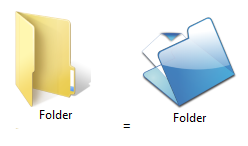
If you want to change icon of your any folder in computer drive then follow these steps: Right click on that folder of which you want to change the icon. Click on properties, then new window will open. Click on customize tab. Now click on change icon option. You can select or browse icon then click on OK Now click on apply and OK     यदि आपको ये Post अच्छी लगे  तो अपने दोस्तों को  Share करें।

General Keyboard shortcuts to navigate around Windows.

Image
Here are some general keyboard shortcuts that you can use to navigate around Windows. Press this key To do this F1 Display Help F2 Rename the selected item F3 Search for a file or folder F4 Display the address bar list in File Explorer F5 Refresh the active window F6 Cycle through screen elements in a window or on the desktop F10 Activate the menu bar in the active application Alt+F4 Close the active item, or exit the active application Alt+Esc Cycle through items in the order in which they were opened Alt+ underlined letter Perform the command for that letter Alt+Enter Display properties for the selected item Alt+Spacebar Open the shortcut menu for the active window Alt+Left arrow Back Alt+Right arrow Forward Alt+Page Up Move up one screen Alt+Page Down Move down one screen Alt+Tab Switch between open apps (except desktop apps) Ctrl+F4 Close...

How to create a folder without having name in your system.

Follow these steps to create folder without name Right click and click new then click on folder. Write any name for folder at that time of create. Now right click on that folder and click on rename Rename folder name as ALT+0160  then press space key. 

How to use your pendrive storage as RAM for your PC.

Image
If you want to use your pen drive storage as RAM, then  you would have to follow these steps: Insert your pen drive  to system. Right click on that pen drive storage and click on properties. On the properties window click on Ready Boost tab. Then mark radio button for use this device. You can specify how much space of your pen drive you have to use. Then click on Apply and OK  Now your pen drive storage is ready to work as RAM. यदि आपको ये article अच्छा लगा, तो आप इसे अपने दोस्तों को share करें

How to optimize your RAM for better performance.

Image
If you want, your system give quick response then you need to follow this simple steps. Open run command by pressing  Window key + R Type "cleanmgr" and press Enter key. Then Disk Cleanup : drive selection window will open. Make sure C drive should be selected there. Then press OK button After processing it will show you Disk cleanup for C Now check mark all the file and click on OK.  Then click on delete files. Now your system's memory has been clean. Your system will work smoothly. आप weekly या  daily इस procedure को कर सकते हैं। 

How to troubleshoot proxy error while using any modem or dongle in your computer.

If you are using any net setter or modem and getting error proxy server, then this post may be helpful to troubleshoot that error. आपको ये steps follow करने होंगे। Go to control panel. Go to internet options. Then internet properties tab will be open. Go to connection tab. Then click on LAN setting option. Now uncheck proxy server check box and click on OK. Replug your modem or dongle and use it. यदि आपके पास भी हैं Technical article  तो आप कमेंट  कर सकते हैं